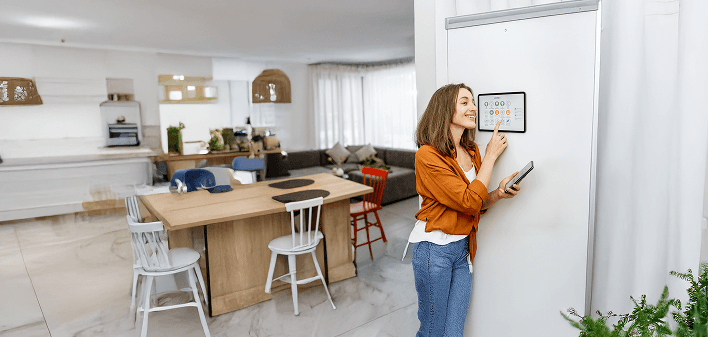

7 Smart Home Devices You’ll Wonder How You Ever Lived Without

Amazon Echo (4th Gen)
Hands-free voice assistant for your home
Alexa plays music, answers questions, and sets timers on demand
Built-in smart home hub connects Zigbee lights, locks, and sensors
Premium speakers deliver rich 360° sound for music and podcasts

Google Nest Hub Max
Voice assistant with built-in display
10-inch HD touchscreen for video calls, streaming, and smart controls
Google Assistant manages your home by voice and shows info on screen
Built-in camera and stereo speakers for video chats and music

Philips Hue Smart Lighting
Customizable color lighting system
Millions of colors and tunable whites to set any mood or scene
Control lights by app or voice (works with Alexa, Google Assistant, and Siri)
Syncs lights to your music, games, and movies for immersive effects
Google Nest Learning Thermostat
Smart temperature control
Learns your schedule to automatically adjust heating and cooling
Control from anywhere via phone app or voice assistant (Google or Alexa)
Provides energy usage reports and tips to save on utility bills

Ring Video Doorbell
Front door camera and intercom
1080p HD video with night vision shows who’s at your door day or night
Two-way talk lets you see, hear, and speak to visitors remotely
Motion alerts sent to your phone (with optional cloud recording)

August Wi-Fi Smart Lock
Keyless smart door lock
Remotely lock and unlock your door from your phone anywhere
Auto-unlocks when you arrive and auto-locks when you leave
Installs over your existing deadbolt, so you keep using your original key

iRobot Roomba Robot Vacuum
Automated floor cleaner
Cleans floors on a schedule, navigating around furniture and rugs
Smart mapping and dirt-detect sensors ensure thorough coverage
Works with Alexa and Google Home for voice-activated cleaning
Amazon Echo (4th Gen)
Hands-free voice assistant for your home
Alexa plays music, answers questions, and sets timers on demand
Built-in smart home hub connects Zigbee lights, locks, and sensors
Premium speakers deliver rich 360° sound for music and podcasts
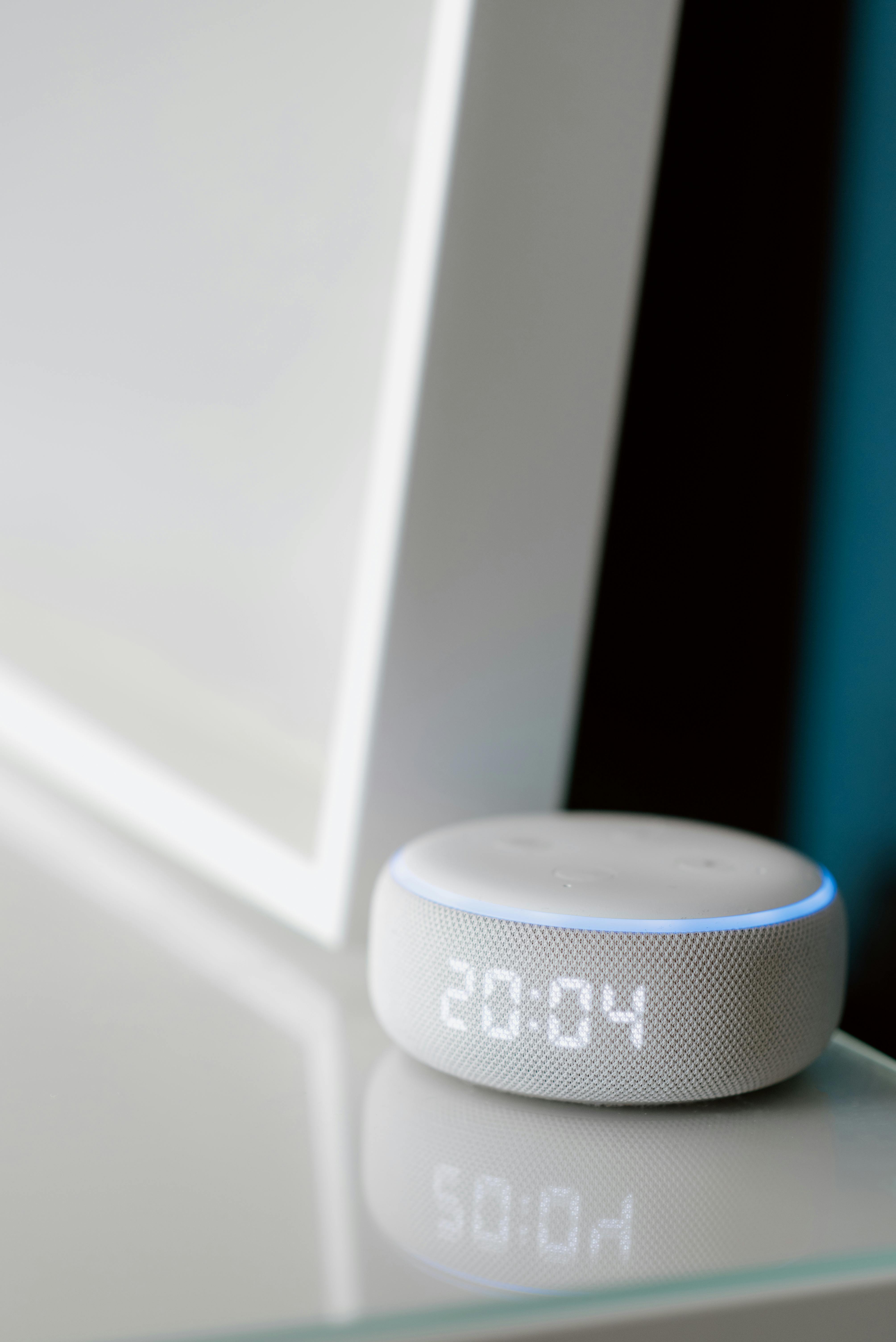
The Amazon Echo (4th Gen) is a round smart speaker that puts Alexa at the center of your home. You can speak commands to play music, set timers, ask about the weather or news, and get instant answers. It’s also a hub for other smart devices: the built-in Zigbee chip lets you pair compatible smart bulbs, locks, and sensors directly. In practice, that means you can say things like “Alexa, lock the front door” or “turn off the bedroom lights” hands-free. The Echo’s rich 360-degree sound fills a room, making it great for music, podcasts, or audiobooks. Pair two Echo speakers for stereo sound, or add multiple Alexa devices around the house to play music everywhere in sync. This speaker links up with services like Spotify, Amazon Music, and Bluetooth devices so you can stream from your phone or tablet.
Beyond voice control, this Echo has a sleek orb shape with a fabric covering that fits nicely into most rooms. There are multiple layers of privacy protection too, including a mute button to disable the microphones when you want. You can drop in on family members in another room with compatible Alexa devices, and even make voice or video calls to anyone with an Alexa device. The Echo works seamlessly with the rest of the Alexa ecosystem: connect your calendars, get news flash briefings, or control a Fire TV with your voice. All together, the Echo (4th Gen) combines premium sound with smart features in one device. Whether you’re setting up routines, listening to a podcast, or checking the front door camera, this smart speaker simplifies everyday tasks and entertainment.
Voice assistant with built-in display
10-inch HD touchscreen for video calls, streaming, and smart controls
Google Assistant manages your home by voice and shows info on screen
Built-in camera and stereo speakers for video chats and music
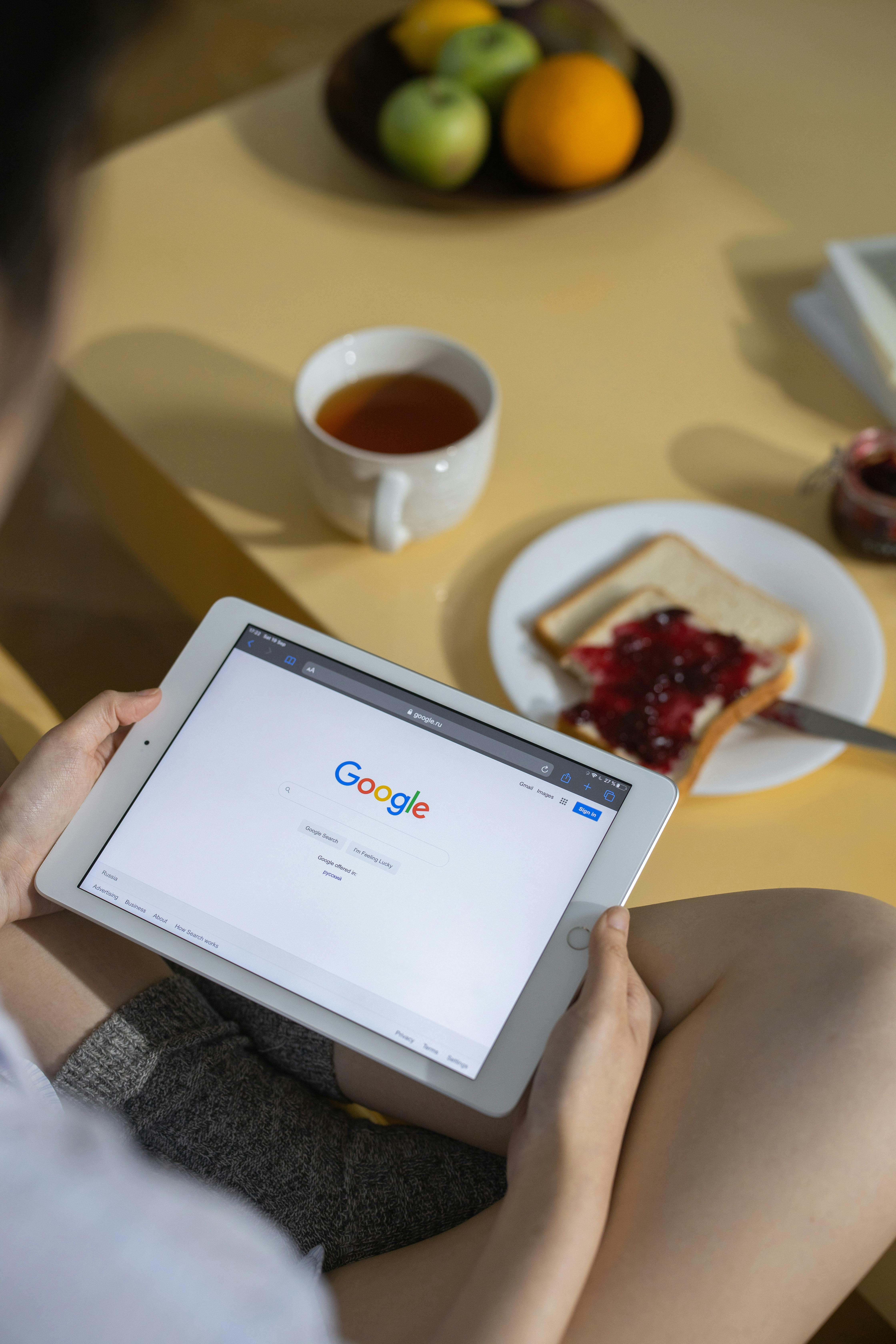
The Google Nest Hub Max is an all-in-one smart home display with a 10-inch HD touchscreen. It can show live camera feeds, control your smart appliances, and stream shows. The large screen is great for pulling up recipes in the kitchen, streaming YouTube or Netflix, and displaying Google Photos as a digital photo frame when idle. It has a 6.5MP camera for video calls (using Google Meet or Duo) – just say “Hey Google, call Grandma” and you can chat hands-free. The Nest Hub Max also has Google Assistant built-in, so you can say “Hey Google, set the thermostat to 70” or “turn off the bedroom lights” as easily as on any speaker. This makes it a powerful control center for your connected home, letting you manage devices with voice or touch.
Beyond these core features, the Nest Hub Max has some neat extras. Its display automatically adjusts brightness and color to match your home lighting, so images always look their best. You can wave your hand to pause music or stop an alarm if your hands are full. Privacy is addressed with a physical switch that shutters the camera and disables the microphone when you want. On the audio side, the Hub Max has stereo speakers and a subwoofer for rich sound, making music and videos come alive. Overall, this smart display blends visual convenience with voice control. It’s especially handy in busy areas like the kitchen or living room where you want both hands-on and hands-free control of your home.
Customizable color lighting system
Millions of colors and tunable whites to set any mood or scene
Control lights by app or voice (works with Alexa, Google Assistant, and Siri)
Syncs lights to your music, games, and movies for immersive effects

Philips Hue is a smart lighting system that gives you full control over your home’s lights. Using smart LED bulbs, light strips, and fixtures with the Hue Bridge (hub), you can change colors, brightness, and schedules from your phone or by voice. For example, you can have lights gradually brighten each morning like a sunrise alarm, or set up a “movie mode” scene with dimmed lights and rich colors. The Hue app lets you group lights by room, set timers, and even sync lighting to your music or games, creating immersive lighting effects. With millions of colors available, Hue lights can match any mood or activity: soft warm light for relaxing evenings, bright cool light for morning routines, or dynamic color flows for a party.
Hue works with all major voice assistants: just ask Alexa, Google Assistant, or Siri to adjust the lights in any room, or activate saved scenes by voice. The system is easy to expand, too: start with a starter kit that includes a hub and a few bulbs, then add more bulbs, light strips, switches, or sensors as needed. The bulbs fit standard sockets and install just like regular bulbs, so setup is straightforward. There are Hue fixtures and accessories for indoors and outdoors, from ceiling lamps to garden lights. As a mature platform from Signify (formerly Philips Lighting), Hue is known for reliability and wide compatibility with other smart home devices. Once you try smart lighting, you’ll wonder how you ever lived with plain on/off switches.
Smart temperature control
Learns your schedule to automatically adjust heating and cooling
Control from anywhere via phone app or voice assistant (Google or Alexa)
Provides energy usage reports and tips to save on utility bills
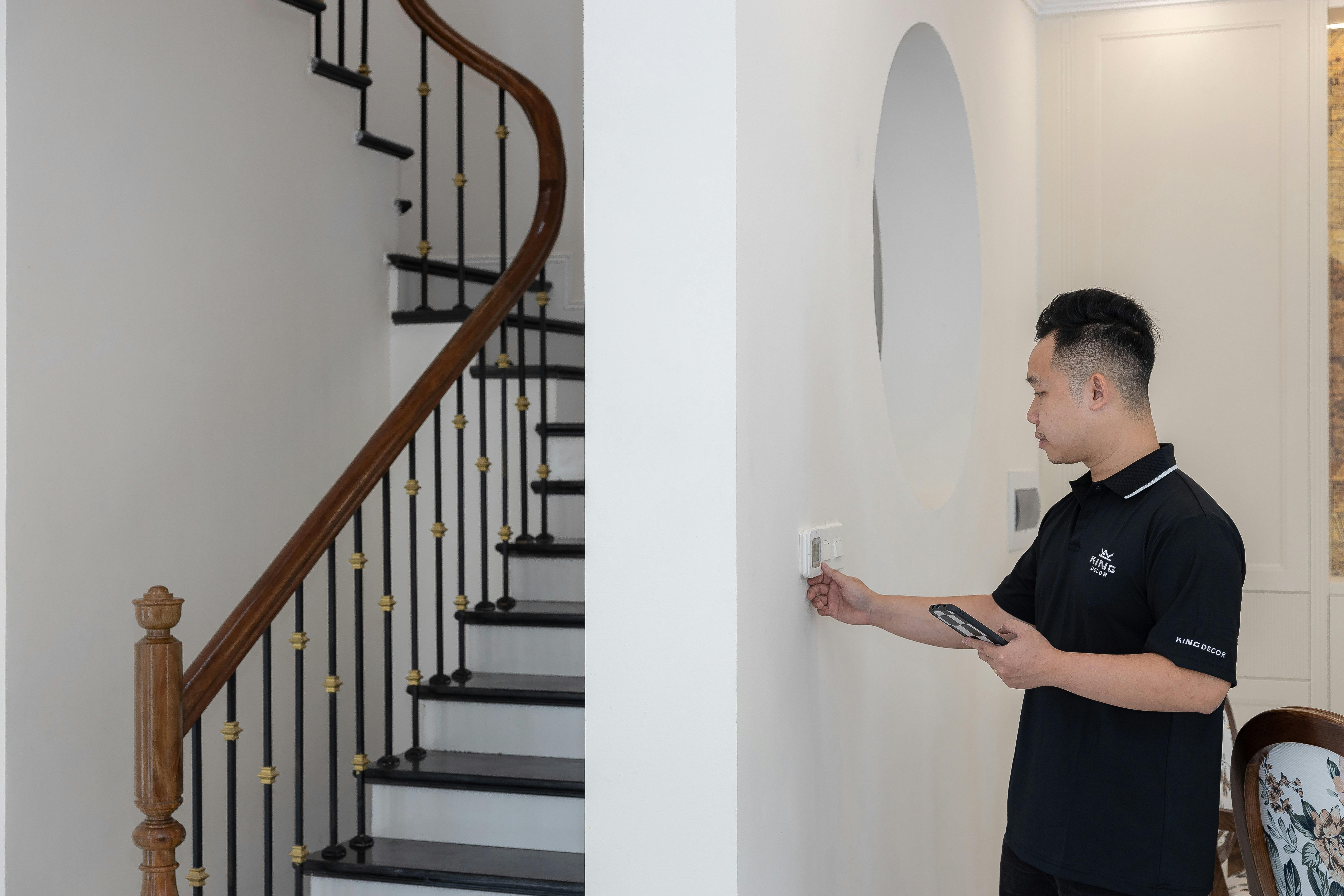
The Google Nest Learning Thermostat is a sleek round thermostat that keeps your home comfortable and energy-efficient. It has a large digital display showing the current temperature and weather. The key feature is that it learns your schedule: as you adjust the temperature, it creates a personalized schedule and then adjusts heating or cooling based on whether you’re home or away. This learning function can save energy — Google reports average savings of around 10-12% on heating and cooling. The thermostat connects to Wi-Fi, so you can control it from anywhere via the Google Home app or by voice. For example, you can turn down the heat from bed using your phone, or say “Hey Google, set the thermostat to 68.” It also works with Alexa for hands-free control on Amazon devices.
Installation of the Nest Thermostat is easy for most homeowners: it replaces your old thermostat and often works without needing a dedicated power wire thanks to an internal battery. The unit has a premium metal finish and a large ring you turn to change settings manually. The Nest includes sensors to know if someone is home and can switch to an energy-saving “Eco” mode when the house is empty. You can also place optional wireless sensors in other rooms to manage hot or cold spots. The Nest app provides detailed energy reports each month, showing how much you’ve saved and offering tips. It even sends alerts if there’s an issue with your heating or cooling system. In short, the Nest Learning Thermostat intelligently manages your home’s climate to keep you comfy while using less energy.
Front door camera and intercom
1080p HD video with night vision shows who’s at your door day or night
Two-way talk lets you see, hear, and speak to visitors remotely
Motion alerts sent to your phone (with optional cloud recording)
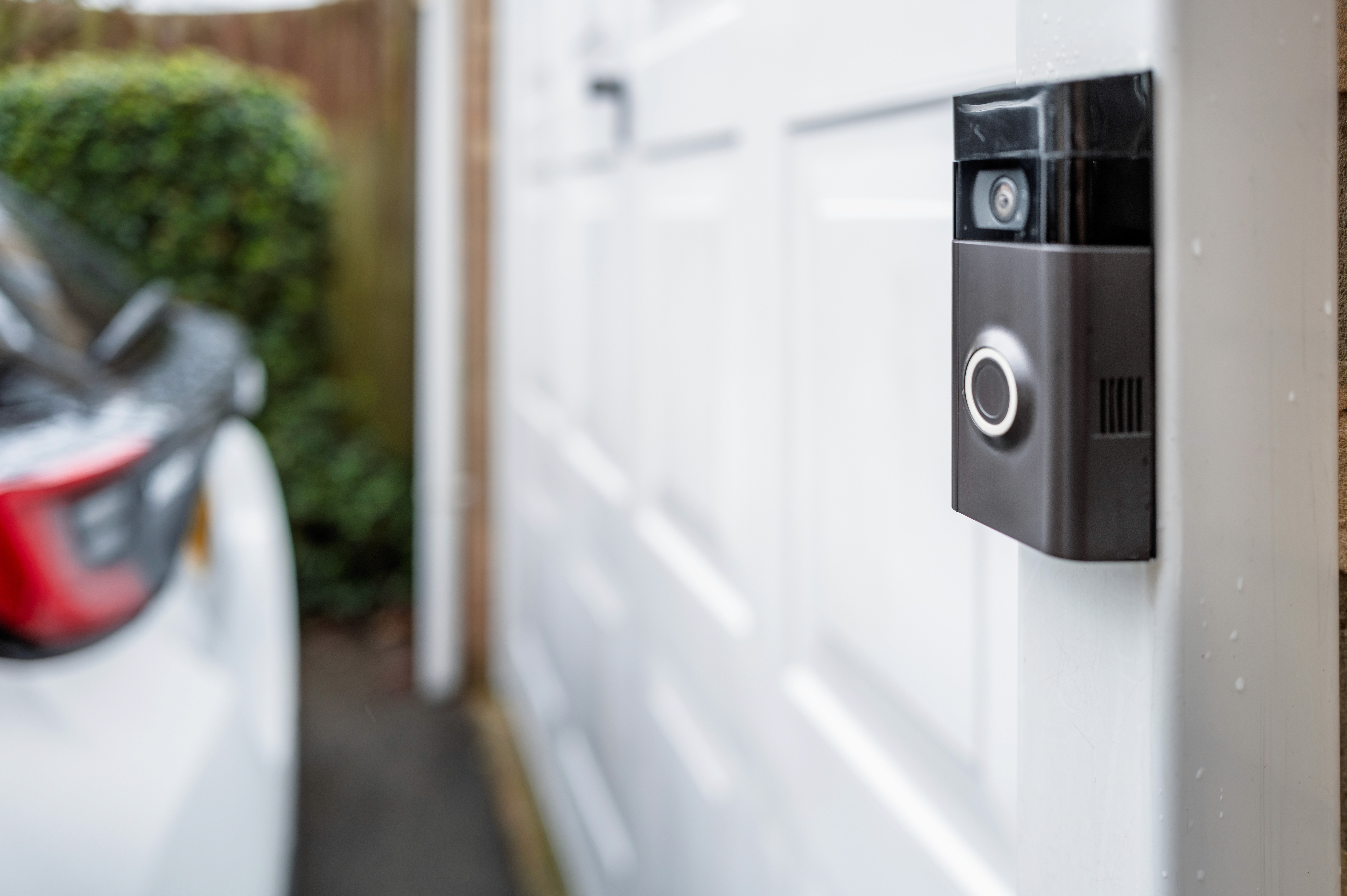
The Ring Video Doorbell is a smart camera and intercom system for your front door. It attaches like a regular doorbell (either wiring into existing doorbell wiring or battery-operated) and sends live video to your phone or Alexa devices when the bell is pressed or motion is detected. The camera records in crisp 1080p HD and even works at night with infrared night vision. When a visitor arrives, you can see and speak to them in real time through the Ring app: they see you on video, and you can say, for example, “I’ll be there soon.” This is great for screening packages or unexpected guests — you don’t even have to be home to answer the door.
Beyond the live alerts, Ring offers optional subscription plans to save and review video recordings. You can rewind through weeks of event footage, get notifications specifically for people or packages, and share clips with neighbors if needed. The Ring Doorbell integrates with Alexa: ask an Echo Show or Fire TV to display the front door feed at any time. It also works with compatible smart locks and lights; for example, a Ring motion detection can trigger an outdoor light to turn on. Installation is DIY-friendly: in wired mode, it replaces your existing doorbell, and in battery mode, you just mount it and recharge occasionally. The Ring Doorbell is a top choice for home security and convenience — you might never answer the door the old way again.
Keyless smart door lock
Remotely lock and unlock your door from your phone anywhere
Auto-unlocks when you arrive and auto-locks when you leave
Installs over your existing deadbolt, so you keep using your original key
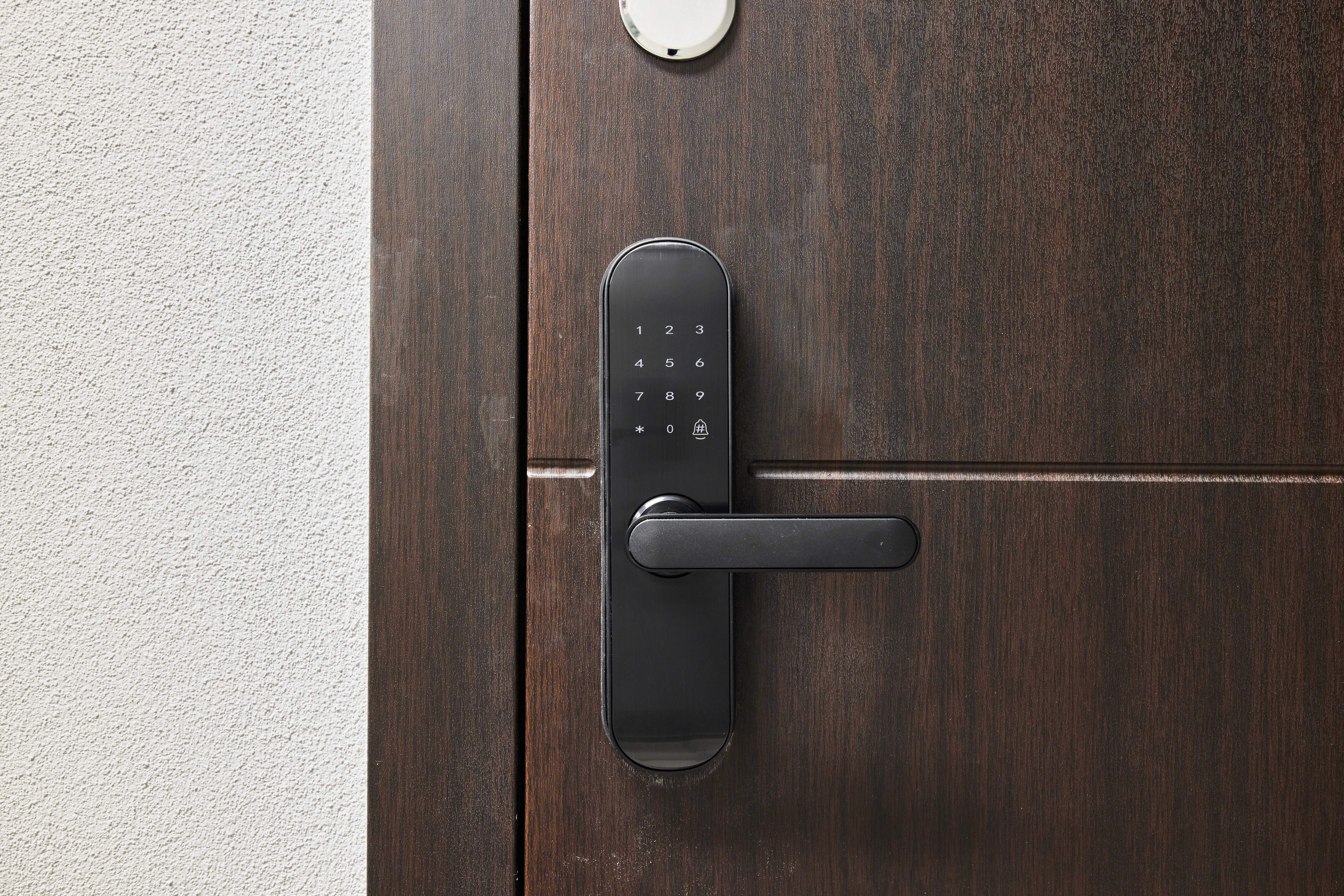
The August Wi-Fi Smart Lock upgrades your existing deadbolt so you can lock or unlock the door with your phone. It mounts on the inside of your door over your current lock, so you keep your original key on the outside. In the August app, you can tap a button to lock or unlock the door remotely. The lock has built-in Wi-Fi and Bluetooth, so it works without any extra bridge device. One standout feature is auto-unlock: when you arrive home, the lock senses your phone and unlocks for you automatically. There’s also Auto-Lock, which can secure the door after it closes or after a set time for added peace of mind. In practice, this means you may never have to fumble with your keys again.
The August lock also makes it easy to share access. You can send secure virtual keys to family, friends, or service providers for specific days or hours — ideal for guests or dog walkers. The app keeps an activity log of every lock and unlock event, so you can see who entered and when. The device uses encrypted connections and supports two-factor authentication for security, and it even includes DoorSense technology that tells you if the door isn’t fully closed or locked. Installation is quick and tool-free for most single-cylinder deadbolts: it attaches to your existing hardware in minutes. If needed, you can still use your physical key outside or add an optional August keypad for code entry. Overall, the August Wi-Fi Smart Lock brings both convenience and safety — once it’s on your door, you might never worry about lost keys again.
Automated floor cleaner
Cleans floors on a schedule, navigating around furniture and rugs
Smart mapping and dirt-detect sensors ensure thorough coverage
Works with Alexa and Google Home for voice-activated cleaning
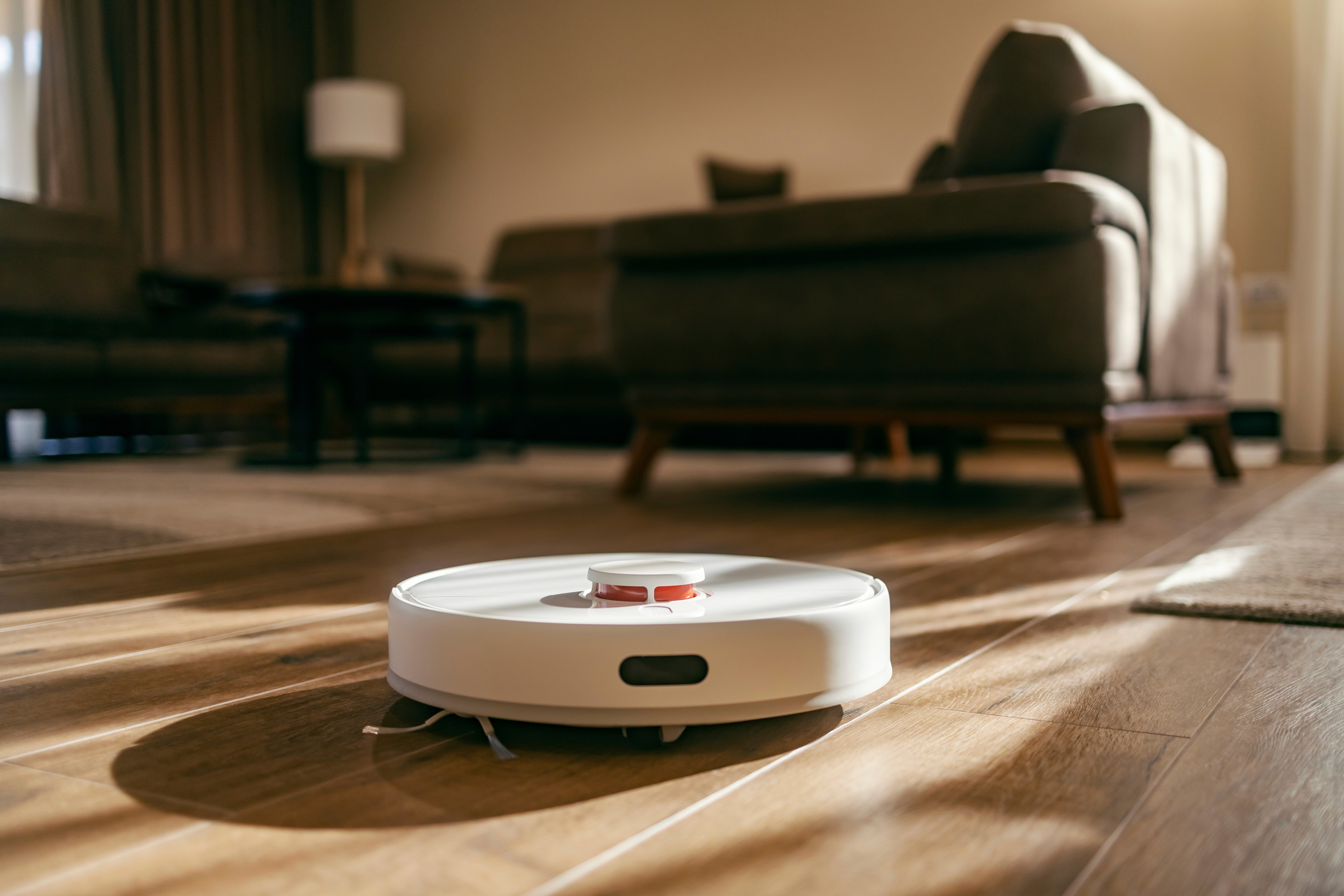
The iRobot Roomba is a robot vacuum cleaner that automatically cleans your floors on a schedule, so you don’t have to. Many models (like the Roomba i7 or s9) learn the layout of your home as they clean, moving systematically under furniture and between rooms. Simply schedule cleanings in the iRobot Home app or start one with your voice. The Roomba uses sensors to navigate and detect dirtier areas, and it will automatically dock and recharge as needed to finish the job. It has strong suction and rubber brushes that pick up pet hair, dust, and crumbs from both carpet and hard floors. Some advanced models even work with an Auto-Empty Charging Base that empties the vacuum’s dustbin into a larger bin at the dock, so you don’t have to empty it for weeks.
These robot vacuums are surprisingly smart. In the app, you can see a map of where the Roomba has cleaned and set virtual “no-go” zones or room names. The Roomba also supports voice control: say “Alexa, ask Roomba to clean” or “Hey Google, start vacuum” to activate it hands-free. When its battery runs low, the Roomba returns to its dock, recharges, and then continues cleaning until done. While it can’t replace a deep manual vacuum, a Roomba handles everyday messes really well and helps keep your floors tidy between big cleaning sessions. For busy households or pet owners, having a Roomba can save a lot of time and effort.
What Are Smart Home Devices and Why Should You Invest in Them?
Smart home devices are internet-connected gadgets that automate or enhance everyday home tasks. They range from smart speakers and displays to cameras, thermostats, lights, locks, and appliances that you can control remotely. By integrating sensors, Wi-Fi, and digital assistants, these devices make it easy to manage your home environment and routines. For example, a smart thermostat learns your schedule to keep the temperature just right while saving energy. A smart lock lets you open the door with your phone. Smart security cameras and doorbells can alert you about activity at home no matter where you are.
Investing in smart home devices can significantly improve convenience, comfort, and safety. They save time by automating chores — like turning off all the lights with one voice command or starting the coffee maker in the morning. They can also save money by optimizing energy use; for example, a learning thermostat and smart lights can lower your bills by not heating or lighting empty rooms. Many devices boost home security and awareness: you can see who’s at the door via camera or get alerts if a window sensor is triggered. Over time, the right smart devices pay off by making daily life smoother and safer, often with no extra effort on your part.
Why Does Choosing the Right Smart Home Device Matter?
Not all smart home devices are created equal. Choosing the right one matters because a gadget that fits your needs will truly improve your life. A poorly chosen device can cause more headaches than help — it might be hard to install, break easily, or not work with your other tech. For example, if your home already uses Google Assistant or Alexa, you’ll want devices that connect seamlessly. Otherwise, you could end up juggling multiple apps and hubs, which defeats the purpose of simplicity.
Quality and reliability vary widely too. A high-quality security camera or smart lock from a trusted brand is likely to deliver clear video and timely alerts, whereas a cheap model might freeze or give false alarms. A good device should also protect your privacy, using encryption and providing regular software updates. It’s smart to check for warranty and customer support as well, since reputable companies tend to stand behind their products. By choosing well-reviewed devices from reputable brands, you can build a smart home that’s dependable, secure, and easy to expand in the future.
How to Choose the Best Option for Your Needs
Match the Device to Your Needs
Begin by identifying what you actually need the device to do. Are you looking to improve security, control lighting, manage climate, or handle daily tasks more easily? Choose a device that directly addresses those needs. For example, if you want to keep an eye on your home while you’re away, a smart camera or video doorbell can give you peace of mind. If comfort and energy savings are priorities, a learning thermostat or smart lighting might be a better match. Also consider who will use it. If some household members aren’t tech-savvy, look for devices with simple setup and an easy-to-use app or clear voice commands. Think about where you’ll put it, too: a voice assistant is most useful in a common area, while a smart lock must fit your front door. For example, a smart speaker may have voice profiles so each person gets personalized results. If energy use is a concern, adding smart plugs or switches can help automatically turn off devices. Match the device’s purpose and features to your lifestyle, habits, and home layout to make sure it truly adds value to your daily routine.
Check Ecosystem Compatibility
Make sure any smart device works with the ecosystem or platform you already use. Most smart homes revolve around systems like Amazon Alexa, Google Assistant, Apple HomeKit, or Samsung SmartThings. If your house already uses one of these, pick devices that integrate with it. For instance, an Alexa speaker works best with Alexa-compatible lights and switches, while Apple users will want HomeKit support. Also think about technical compatibility: some devices need a specific hub (like Zigbee or Z-Wave) while others connect directly via Wi-Fi or Bluetooth. Check if you need an extra bridge or if the device works on your existing network. Consider your home’s Wi-Fi range or network limits and whether a device requires the 2.4GHz or 5GHz band. Choosing devices that fit smoothly into your existing setup prevents frustration — it means fewer extra apps to install and more seamless control. In short, matching the ecosystem saves hassle and ensures all your gadgets work together seamlessly.
Assess Features and Usability
Look at each device’s features and how easy it is to use. Does it require complicated wiring or work wirelessly? A simple setup can save a lot of time. Check whether the device includes a clear display, physical buttons, or voice commands for control. Read user reviews or manufacturer guides to see if the app or interface is user-friendly. Consider if it runs on batteries (and how often they need replacing) or plugs in, and plan for maintenance like charging or cleaning. Think about the learning curve. Does the device respond well to voice commands, or is it mainly controlled through an app or touchscreen? If voice control is important, make sure it works well with your assistant’s commands. If it’s app-driven, look at demos or screenshots to see if it’s straightforward. Some devices offer advanced features like scheduling routines, geofencing (auto-adjusting when you leave or return home), or multiple user profiles. These can be handy for tech-savvy users but may be unnecessary for others. Focus on ease of use: a useful smart device should fit smoothly into your routine without requiring a lot of babysitting.
Balance Price and Value
Price is a factor, but it shouldn’t be the only one. A higher-priced device from a known brand often means better build quality, reliability, and support. Look for products that offer good overall value: they may cost more upfront but avoid extra fees or replacements later. Check whether a subscription is needed for full features (like video storage or cloud services) — these ongoing costs can add up.
Compare similar products to see what you get for the price. Does a more expensive model include better sensors, higher quality components, or more advanced functions? Also check for warranties and customer support. Sometimes spending a little more means peace of mind, like a longer warranty or responsive help if something goes wrong. Finally, consider longevity: a well-made device that lasts for years can save money in the long run compared to a cheaper model that fails. Weigh price against performance and long-term savings to find the best value for your needs.
What to Pay Attention to Before Choosing
Connectivity and Compatibility
Make sure the device can easily join your home network and other smart gadgets. Check the communication technology it uses – Wi-Fi, Bluetooth, Zigbee, or Z-Wave – and ensure your router or hub supports it. Some devices need a special hub or work only on the 2.4GHz Wi-Fi band, so verify your equipment matches. Ensure the area where you’ll install it has strong Wi-Fi or Bluetooth signal to avoid dropouts. Also consider interoperability: will it work with the rest of your smart home? If you have an Alexa or Google system, pick devices labeled for that platform. Look for certifications like “Works with Alexa” or “Works with Google Assistant.” This upfront compatibility means the device should set up smoothly and play well with your existing system.
Privacy and Security
Pay attention to how the device protects your personal data and privacy. Many smart devices include cameras or microphones, so check whether you can disable them (for example, with a physical shutter) when not in use. Make sure the device uses secure communication protocols (like encryption) and supports features such as password protection or two-factor authentication. Read reviews or the company’s privacy policy to understand how it handles your data. Choosing a device from a reputable brand with a history of security updates is wise. Regular firmware updates and strong network security (strong Wi-Fi passwords) will help keep your smart home safe from hackers.
Installation and Ease of Use
Consider how difficult it will be to install and use the device. Some smart devices are plug-and-play or just need to be paired via an app, while others require wiring or even professional installation. Review setup instructions or demo videos to see if it matches your skill level. Also think about daily operation: does the device have clear buttons or an easy app interface? Can it be set on a schedule so it runs automatically? Devices that require frequent manual adjustments or confusing controls may end up unused. In general, pick products that fit smoothly into your routine and seem easy to manage, so they become helpful instead of being a hassle.
Quality and Reliability
Look at the build quality, durability, and brand reputation. A solid device is built to last, which means better materials and engineering. Read user reviews to see if people report frequent failures, software bugs, or connectivity issues. Also consider technical reliability: does the device maintain a stable connection or sync correctly, or does it crash often? Remember, a stable gadget that works consistently is worth more than a flashy one that keeps glitching. Check for regular firmware updates and responsive customer support. Companies that support their products with ongoing updates and help tend to have more reliable devices. In short, investing in a well-made, reliable smart device means fewer headaches later and better long-term satisfaction with your smart home.
Your Quick Recap
Match your needs: Choose devices that solve the specific problems or add convenience for your daily routine.
Check compatibility: Ensure each device works with your existing voice assistant or smart home platform to avoid extra hubs or apps.
Focus on quality: Pick products from reputable brands with good reviews, reliable performance, and solid warranty/support.
Evaluate value: Compare features, ease of use, and any ongoing costs (like subscriptions) to get the best long-term value.
Plan installation: Make sure the device fits your space and that you can set it up (power, network, or wiring) before you buy it.
What is a smart home device?
A smart home device is any gadget that connects to your home network or the internet so you can control it remotely or automate tasks. Examples include smart lights, thermostats, security cameras, and voice assistant speakers, all of which you can manage with an app or voice commands.
Do I need a special hub or can I use products from different brands together?
Are smart home devices secure and private?
How hard is it to install and use smart home gadgets?
Will smart home devices save me money?